Hardware wallets are physical gadgets that store users’ private keys offline, away from exchanges and internet-connected devices. “Not your keys, not your crypto” is the core principle that underpins crypto wallet security. By granting you full control of your private keys and enabling on-device transaction signing, hardware wallets keep your cryptocurrencies safe. They protect digital assets from online hackers, malware, and third parties.
In this article, we’ll provide deeper insights into how hardware wallets work, their key features, pros, cons, and types. We’ll also guide you on how to set up and choose a cold wallet.
What Is a Hardware Wallet?
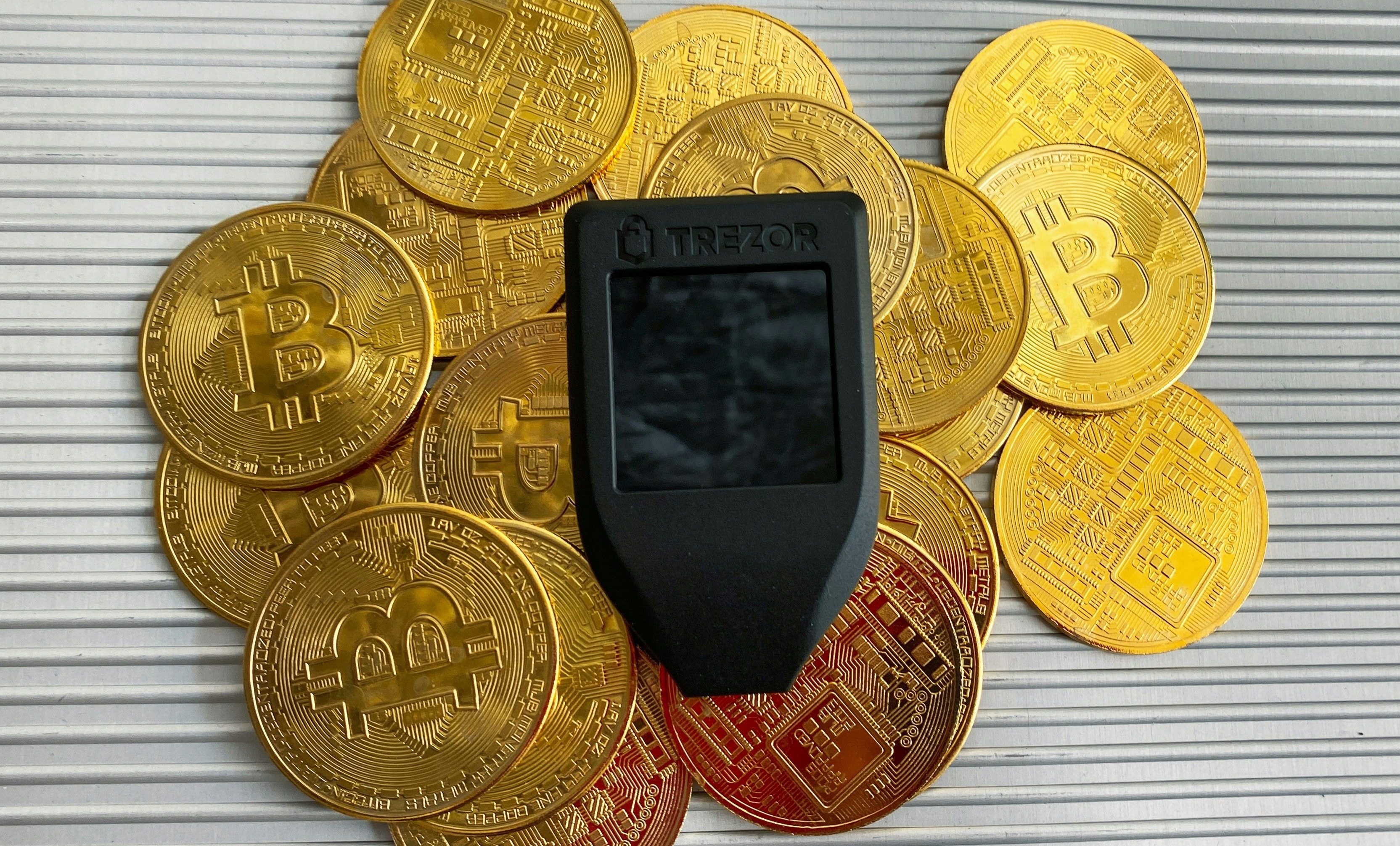
A crypto hardware wallet is a physical device designed to store a user’s private keys offline. Unlike traditional wallets that safekeep fiat currencies, hardware wallets don’t preserve your coins or non-fungible tokens (NFTs). They only store your private cryptographic key, a 256-bit number or a 64-character hexadecimal code, comprising letters (A-Z) and numbers (0-9). You need this key to access your digital assets and conduct crypto transactions.
Since these wallets aren’t connected to the internet, they’re also known as cold wallets. They provide an additional layer of security against cyber threats, such as software bugs, hacks, phishing attacks, malware, and viruses.
Moreover, hardware wallets fall in the non-custodial wallet category, meaning you own private keys and have complete control over them. In contrast, when you store your digital assets on cryptocurrency exchanges, you entrust their security to third-party custodians. As exchanges, including their cold storage, are hot targets for malicious online actors, your assets are vulnerable to security breaches.
By storing your private keys offline, hardware wallets safeguard your cryptocurrencies and eliminate your dependence on intermediaries.
Appearance-wise, you can consider hardware wallets as fragments of physical technology that look like USB flash drives or car keys. Some models also resemble a mini computer, comprising a few buttons, and maybe a small screen. You can plug these devices into your desktops/laptops or connect them to your smartphones using Bluetooth/USB cables.
Most hardware wallets also come with a companion software application. You need to download this app on your computer to use the wallet. The app helps you send, receive, buy, sell, and stake cryptocurrencies from a single interface.
How Does a Hardware Wallet Work?
Crypto wallets have two pivotal components: public and private keys. You require both keys to execute cryptocurrency transactions. While public keys are akin to your bank account number, private keys are analogous to your password or ATM PIN.
You can share your public keys with others and enable them to transfer coins to you. However, you shouldn’t share your private keys with anybody. If you lose it or somebody steals it, you’ll lose your crypto assets forever.
Hardware wallets safeguard your private keys by storing them on a physical device that isn’t connected to the internet. They harness the Elliptic Curve Digital Signature Algorithm (ECDSA) to generate your public key from your private key. It is a one-way algorithm, meaning nobody can decode your unique private key from your public key. Only users with the correct private key for a given public key can make valid signatures. Therefore, nobody can steal your digital assets.
While you must connect hardware wallets to online devices to access or transact your cryptocurrencies, your private keys remain offline. Through the crypto bridging process, a cold wallet connects to a blockchain. The crypto bridge transfers unsigned transaction data to the wallet, which ensures the transactions are signed within the device itself. The wallet sends the signed data back to the bridge, which then broadcasts the completed transaction to the blockchain network.
In essence, at no point in time do a user’s private keys leave the hardware wallet. It simply unlocks a user’s private address on a blockchain using their private keys.
Key Features of Hardware Wallets
- Personal Identification Number (PIN): A PIN is the first line of defense for your cold wallet. Many wallets enable you to set up a long PIN code of up to 50 characters to secure your device. Nobody can decode your PIN, even if your device is lost, stolen, or damaged. After each wrong PIN entry, the waiting time between consecutive attempts increases. Once you reach the maximum number of permissible incorrect PIN attempts, the device is completely wiped.
- Trustworthy backups: Crypto hardware wallets create a mnemonic phrase during setup. Some models also create Shamir backups for enhanced security. Using the recovery phrase, you can restore access to your private keys and assets seamlessly. Therefore, you need not worry about the safety of your funds even if anything goes wrong with your device.
- Cutting-edge security: Apart from PIN and backup phrases, most hardware wallets offer other security features as well. These include two-factor authentication, biometric logins, certified chips, and access code protection. In general, cold wallets prevent the physical extraction of private cryptographic keys and also require physical validation of transaction details. Since transaction signing occurs within an offline device, your digital assets aren’t exposed to vulnerable online environments and cyber threats.
- Multi-asset support: Most hardware wallets support a diverse range of digital assets and DeFi apps across multiple blockchains. For example, Ledger wallets support 15,000+ cryptocurrencies across 30+ networks.
- Redundancy: Hardware wallets are redundant, meaning the physical device can be replaced without impacting a user’s access to their crypto assets. You can also access your assets on multiple devices anytime, anywhere, using Bluetooth or USB connectivity. You just need to ensure your private keys and seed phrases remain secure.
- Advanced features: Many hardware wallets have sophisticated features like touchscreen signers with scratch-resistant Gorilla glass, wireless charging, customizable settings, and magnetic shells.
Pros and Cons of Hardware Wallet
Pros
- Offline storage of private keys.
- Safeguards digital assets from online hackers and threats.
- On-device verification and physical transaction approvals.
- Harnesses advanced technologies like Near Field Communications (NFC), Secure Element, and Bluetooth.
- Facilitates seamless crypto trading across chains.
- Multi-asset support.
Cons
- Involves an upfront investment as users need to buy a hardware wallet.
- Less convenient for high-frequency trading.
- Requires a physical space to store and manage.
- The device is exposed to risks of loss, damage, or theft.
- Fund access can’t be restored if a user loses the seed phrase.
Types of Hardware Wallet
1. USB-Type Hardware Wallets
They are the most common type of cold wallets. Equipped with a Secure Element (SE) chip, a specialized microcontroller, these devices store your private cryptographic keys within the SE.
Ledger and Trezor are the leading manufacturers of USB-type hardware wallets. Their models come with a dual-chip architecture, where one connects to the internet while the other contains your private keys. These SE chips are EAL6+-certified and are designed to protect your keys from penetration attacks and all types of online threats.
2. Smartcard hardware wallets
Touted as next-gen cold storage devices, smartcard hardware wallets leverage the power of NFC technology to secure private keys. They resemble EMV bank cards with a sleek appearance and an embedded NFC chip.
Some smartcard wallets like Tangem come with EAL6+, IP69K, and ISO-certified chips. These chips store and protect your private keys from both invasive and non-invasive attacks. They’re also resistant to dust, water, extreme temperatures, electrostatic discharges, X-rays, and electromagnetic pulses.
3. Bluetooth-enabled hardware wallets
If you want to access, buy, or sell cryptocurrencies on the go, Bluetooth-enabled cold wallets are a suitable fit. They harness wireless communication technology, eliminating the need for USB cables to connect hardware wallets to mobile devices. Ledger Nano X is a reputable Bluetooth-enabled wallet, offering unparalleled security and user experience.
4. Air-Gapped Wallets
These wallets never connect to a computer or any kind of wireless communication. They remain completely disconnected from the internet throughout their life cycle, from seed creation to transaction signing. COLDCARD is a popular air-gapped Bitcoin-only wallet, equipped with dual SE chips to store private keys and recovery phrases.
How to Choose the Right Hardware Wallet?
- Security: While choosing a hardware wallet, check out models that offer multiple levels of security. They should have safety features like certified chips, PIN code, passphrase protection, recovery seed backups, and on-device verification.
- Supported coins: Choose a hardware wallet that supports a wide range of cryptocurrencies across various blockchains. The wider the coin selection, the better. Most importantly, the chosen wallet should support the assets you prefer to trade regularly.
- User-friendly architecture: Choose wallets that are easy to use. For example, touchscreens help you review, verify, and sign transactions with ease. They also make the PIN entry and wallet recovery processes smoother. Models with physical buttons that provide tactile/haptic feedback boost user experience.
- Transparency: Many wallet manufacturers make the underlying codes of their physical devices and companion software open-source. This means that the codes are publicly verifiable on platforms like GitHub. Therefore, you have complete clarity on how the wallet stores your private cryptographic keys.
How to Set Up and Use a Hardware Wallet?
- Buy the physical device: Based on your budget and preferences, purchase a cold wallet. Ledger and Trezor hardware wallets are top-tier options for securing your digital assets.
- Download the software: Each brand provides a software application that you need to download on your computer or smartphone. Follow the on-screen prompts to install the latest version of the software or firmware.
- Generate a wallet: If you’re using a hardware wallet for the first time, you must create a new wallet. You also need to set up a secure password and PIN. Some cold wallets also enable you to add accounts for the cryptocurrencies you prefer to use often.
- Store recovery seed phrase: While setting up, your hardware wallet creates a 12-24 word seed phrase. In the event of a theft, damage, or loss of your wallet, you need this recovery phrase. It helps you restore the entire wallet and access your private keys on a new device. Therefore, never share your seed phrase with anyone and preserve it securely, preferably on steel plates. You can also perform a test recovery on your wallet to ensure you’ve noted down the phrase correctly.
- Set up Shamir backup: For added security, some wallet models create a Shamir backup, which involves splitting the seed phrase into multiple shares. You need to specify the preferred number of shares and the threshold needed to access your wallet. For example, suppose you define the number of shares as 5 and the threshold as 3. This means your recovery phrase will be divided into 5 shares, and you need 3 shares to access the wallet.
- Fund your wallet: Usually, hardware wallets don’t support fiat currencies for trading digital assets. Therefore, you need to transfer crypto into your wallet account.
Best Hardware Wallets for 2025
1. Trezor Safe 7
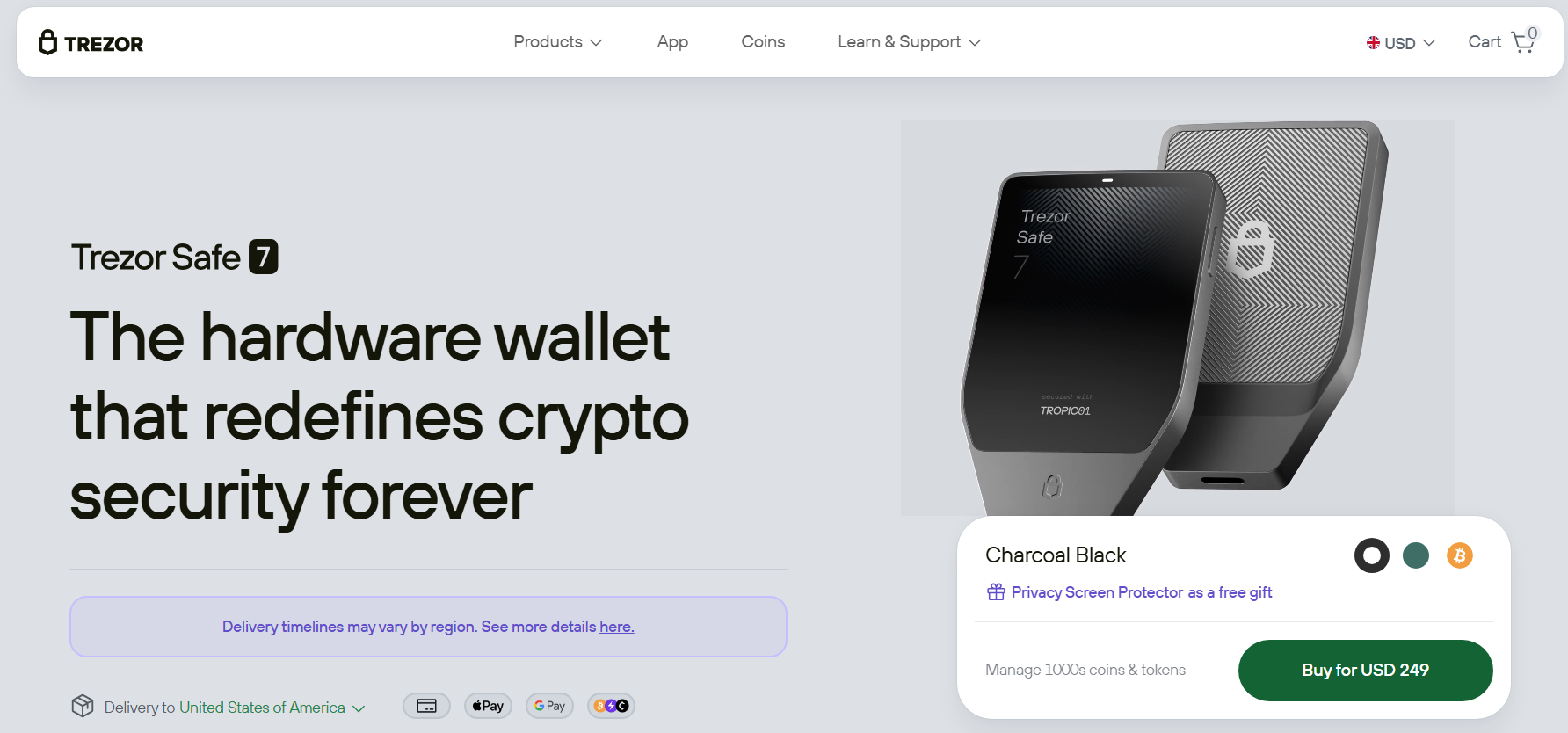
If you’re looking for dual SE protection and a quantum-ready design, this premium Trezor device is worth exploring. It comprises an EAL6+ certified chip and a TROPIC01 chip, the world’s pioneer SE that can be audited by anybody. It is also the only model that leverages post-quantum cryptography to safeguard device verification, firmware updates, and booting processes. Thus, it is a futuristic model that can resist quantum-computing threats.
2. Ledger Stax
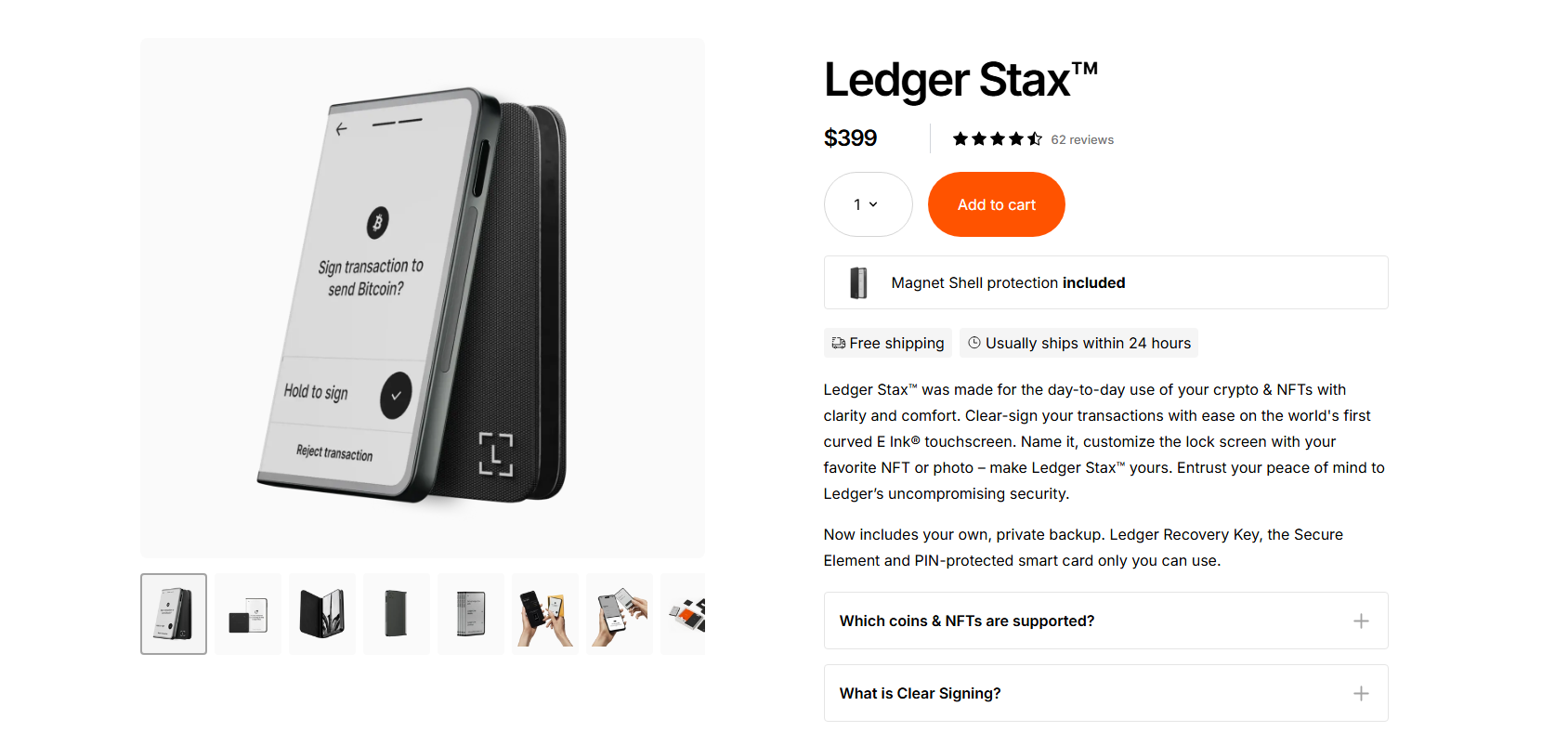
It is a high-end wallet and the world’s first model with a curved E-Ink touchscreen. It offers powerful security features like an industry-leading SE chip, recovery key, PIN-protected smartcard, and magnet shell protection. Additionally, it facilitates clear signing, meaning you can review transactions on the touchscreen in human-readable language before signing them.
3. Trezor Safe 3 / Ledger Nano X
These Ledger and Trezor devices are best-suited for users seeking budget-friendly options with a few essential functions, including Secure Element. Trezor Safe 3 has an open-source architecture. It offers a 0.96” monochromatic OLED screen, passphrase/PIN protection, and the Trezor Suite app. Conversely, Ledger Nano X comes with a Ledger Wallet app, 4-8 digit PIN security, and Bluetooth-enabled signer.
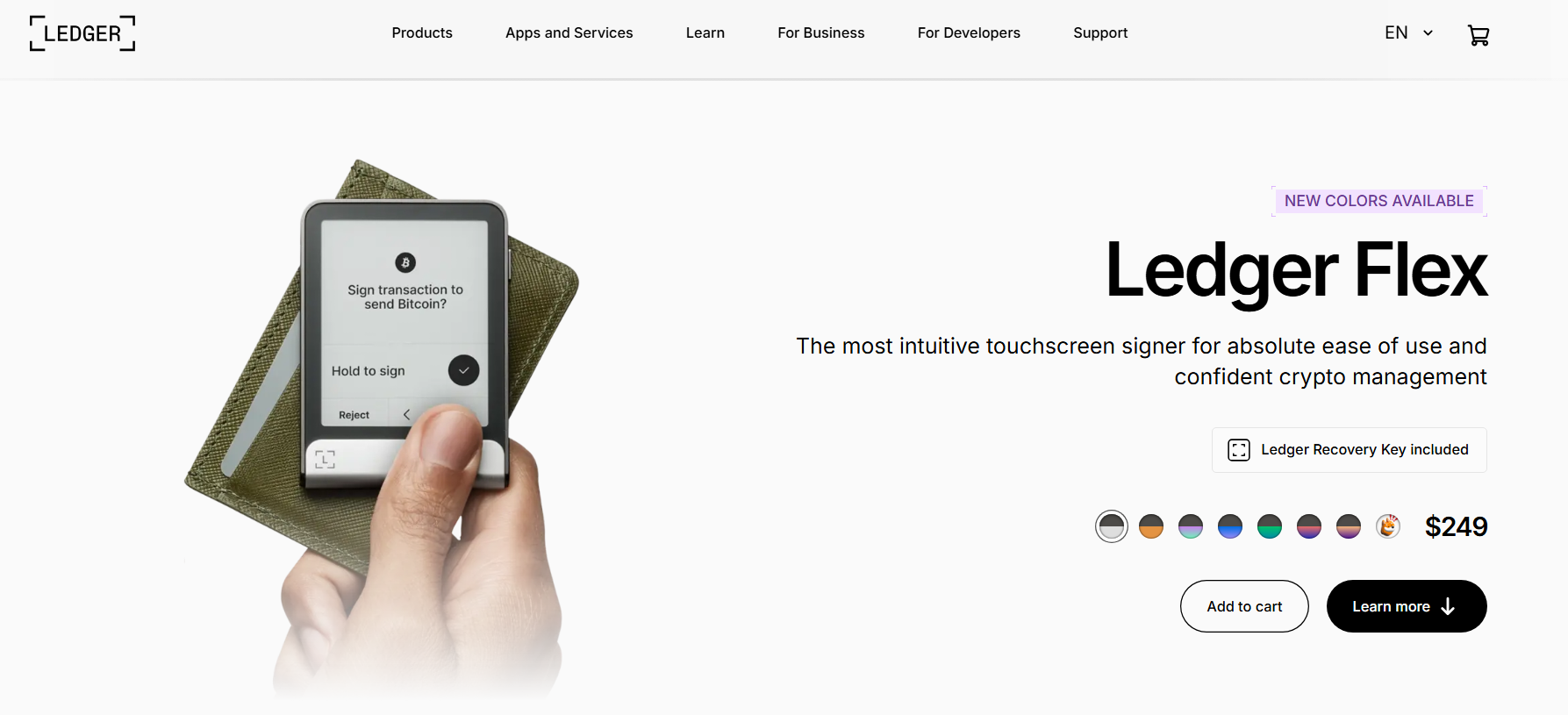
4. Ledger Flex
It is an intuitive hardware wallet with an E-Ink technology-powered touchscreen, multi-device connectivity, and a CC EAL6 certified secure chip. It facilitates clear signing and offers robust security, including private backups and recovery keys.
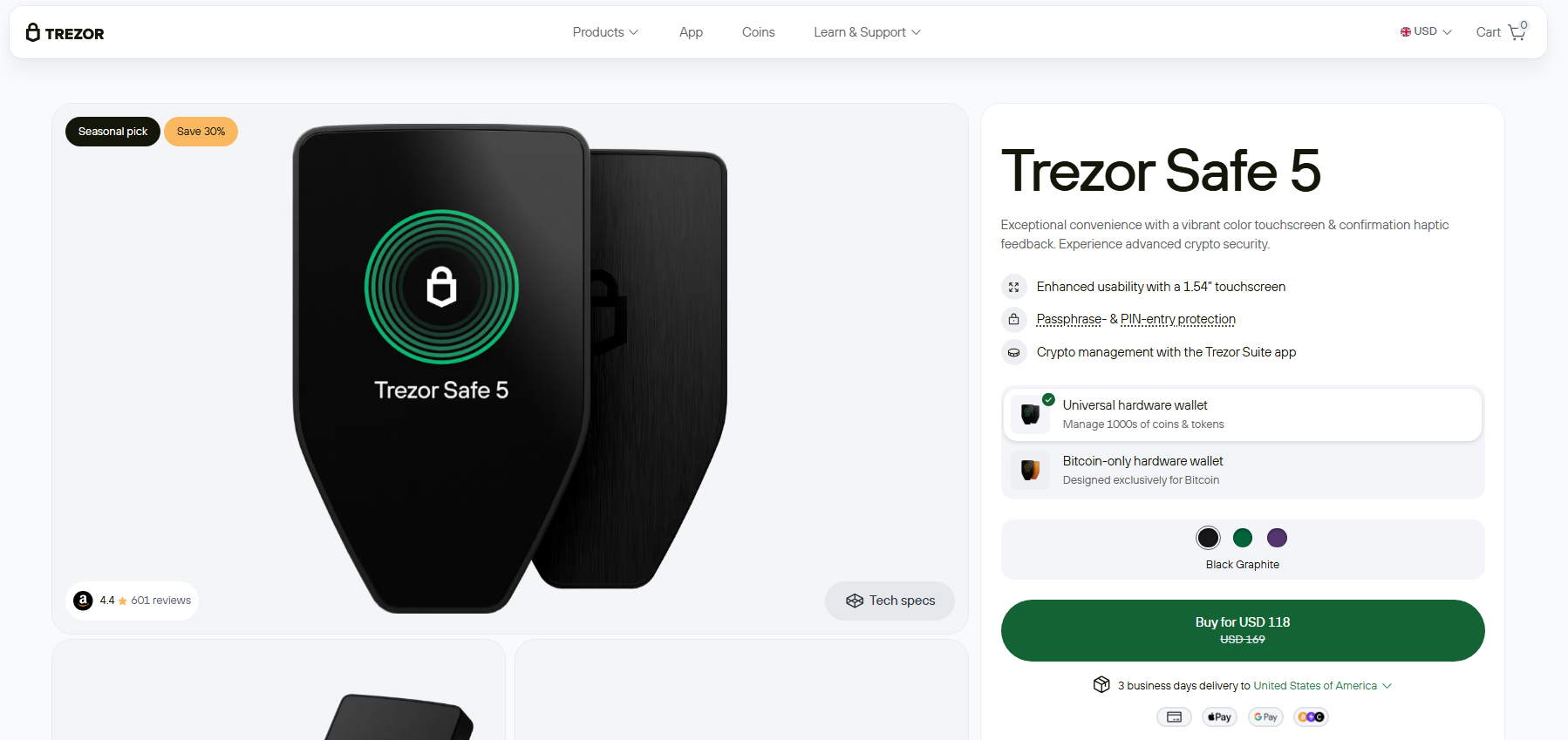
5. Trezor Safe 5
If you prioritize user-friendliness and security, this Trezor device may be worth checking out. Equipped with an EAL6-certified SE chip, scratch-resistant color touchscreen, and a haptic engine, Trezor Safe-5 enhances your crypto trading experience. It also comes with a 20-word wallet backup, enabling you to smoothly migrate from single-share to advanced multi-share backups.
Hardware vs Software vs Exchange Wallet: What’s the Difference?
| Feature | Hardware wallet | Software wallet | Exchange wallet |
| Concept | A physical device that preserves private keys offline. | A mobile app or browser extension that stores private keys on your device. | An online wallet hosted by a crypto exchange. |
| Type | Self-custody | Self-custody | Non-custodial |
| Who controls private keys? | User | User | Exchange |
| Security | They’re highly secure as your private keys never leave the device in unencrypted form. Additionally, transactions are signed locally, preventing unauthorized usage and exposure to online threats. | As they’re connected to the internet, they’re highly susceptible to cyber threats like hacking, phishing, malware, scams, and keylogging. | They exist online, exposing them to cyber attacks and platform security breaches. Moreover, the exchange controls your private keys. Hence, your funds can be misused. |
| Internet connectivity | Offline cold storage | Online hot wallets | Online hot wallets |
| Best for | Users with large crypto holdings and long-term storage needs. | Users who want to transact cryptocurrencies or interact with dApps daily. | Active and high-frequency traders. |
| Cost | $50 – $400 | Free | Free |
| Blockchain accessibility | Requires a companion mobile/desktop app along with an offline physical device. | Requires a hot wallet and internet connection. | Requires only an internet connection. |
| Recovery options | Seed phrase | Seed phrase | Account recovery via exchange. |
| Examples | Ledger, Trezor | Metamask, Phantom | Bitget, Binance |
Best Practices for Hardware Wallets Security
- Store the hardware wallet properly: Since cold wallets are physical devices, it is imperative to keep them in a safe location at room temperature. They shouldn’t be exposed to physical hazards such as rain or fire. For added safety, spread your crypto holdings across multiple hardware wallets.
- Preserve the recovery seed: In case your hardware wallet is lost, damaged, or stolen, you’ll need your seed phrase to recover your private keys. Hence, you must preserve the recovery seed offline in a secure place. Under no circumstances should you store the phrase on digital devices. Beware of fraudulent websites that trick you into revealing your seed phrase. Also, avoid writing down the phrase physically. The best way to store your recovery phrase is to engrave it on a steel plate.
- Buy hardware wallets from renowned manufacturers: Always purchase a cold wallet designed by a reputable brand. Plus, buy these devices at the manufacturer’s physical outlet or on their official websites.
If you’re placing an order on e-commerce sites like Amazon or eBay, ensure they don’t deliver a used wallet. Such devices may contain malware that steals confidential information. To find out whether a wallet is brand new, check whether the holographic sticker is clear and intact. If not, return the product.
- Double check recipient’s wallet address: Whenever you transfer a large amount of cryptocurrencies, ensure you’ve entered the correct recipient address. Do a test transfer before executing the actual transaction. Also, check whether the recipient’s address matches the address displayed on the wallet screen.
- Use a virtual private network (VPN): A VPN helps you browse securely and anonymously via an encrypted internet tunnel. Therefore, it serves as an additional safety layer while connecting your hardware wallet to an online device.
Conclusion
Most offline wallets are compatible with Windows, macOS, Android, and iOS operating systems. Additionally, when using hardware wallets for trading cryptocurrencies, you only need to incur transaction fees. There are no hidden costs in the form of exchange or platform fees. However, the number of features and the level of security offered differ from one wallet to another. Therefore, you must conduct in-depth research and compare different models before choosing a particular wallet.
FAQs
No, a hardware wallet is highly resistant to hacking because it remains disconnected from the internet. However, it is prone to physical damage and theft. Additionally, if you lose your wallet’s recovery phrase, you’ll lose your cryptocurrencies, even if your private keys aren’t compromised.
A hardware wallet doesn’t store your digital assets. It only preserves your private cryptographic keys, which are needed to access and spend your cryptocurrencies.
If you lose your hardware wallet, you can retrieve your private keys using your recovery phrase. However, the mnemonic phrase must be kept secret and stored offline securely. If your seed phrase is compromised, it is impossible to recover your crypto assets.
Yes, hardware wallets are considered the most secure method for storing your private keys, but they aren’t foolproof. They can get lost, stolen, or damaged. If you don’t preserve your seed phrase properly, you can’t retrieve your private keys when anything goes wrong with the device.